A walk through

Here is the software. Every screen below is the real thing.

No stock photography, no artist's impression, no mock-up of a feature that does not exist. These are screenshots of FoundrySuite running on an ordinary computer, holding an ordinary small business's records — the kind where a quote turns into an invoice and the invoice has to end up in the books correctly whether anybody remembers to do it or not.

You can run it against your own records before you decide anything. What you buy afterwards never expires — see the thirty-day trial.

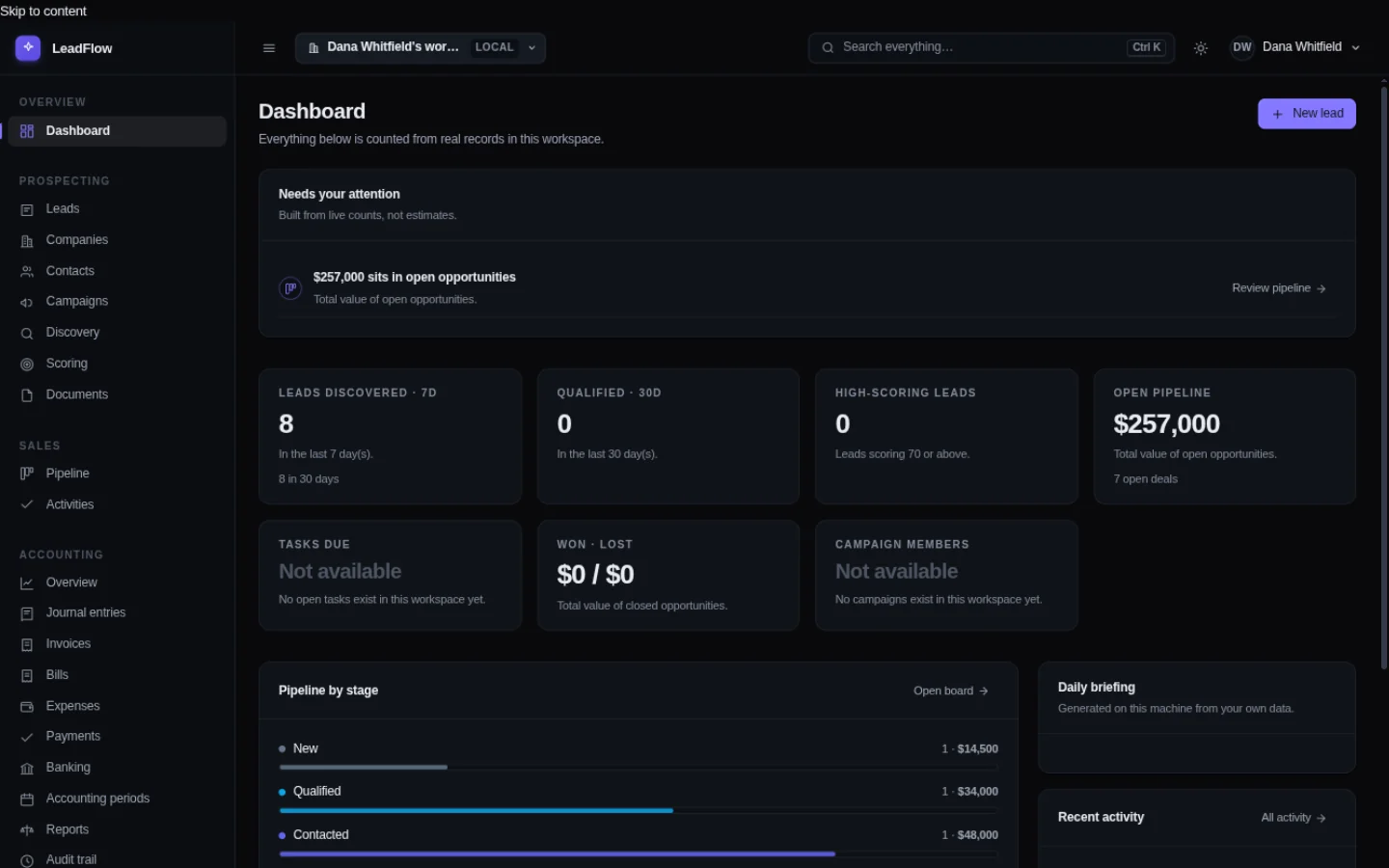
The FoundrySuite dashboard. Tiles count the leads discovered in the last seven days, leads qualified in the last thirty, high-scoring leads, open pipeline value, tasks due and won-versus-lost. Below them, a bar for each pipeline stage with the value sitting in it, and the most recent leads listed with their scores.
This is what it looks like when you open it. Every number on this screen is counted from records that actually exist — there is nothing estimated and nothing sampled. The tile that says not available is telling you there is nothing to measure yet, not showing you a zero. Most software shows a zero there, and you end up chasing it.
The week, start to finish

Six screens, in the order you would actually use them.

Not a feature tour. A week in the life of somebody who sells things and has to keep the books while doing it.

People come in. You find out who they are.

A lead arrives from somewhere — a trade show, a referral, a website form. FoundrySuite holds the company and the person separately, because most businesses buy more than once and it matters that you can see every deal a company has ever had with you rather than just the current one.

Where a field came from is written down next to it. If a model guessed a company size, it says so; if you typed it, it says that too. You can correct a wrong value and FoundrySuite remembers both the correction and where it came from, rather than quietly overwriting it.
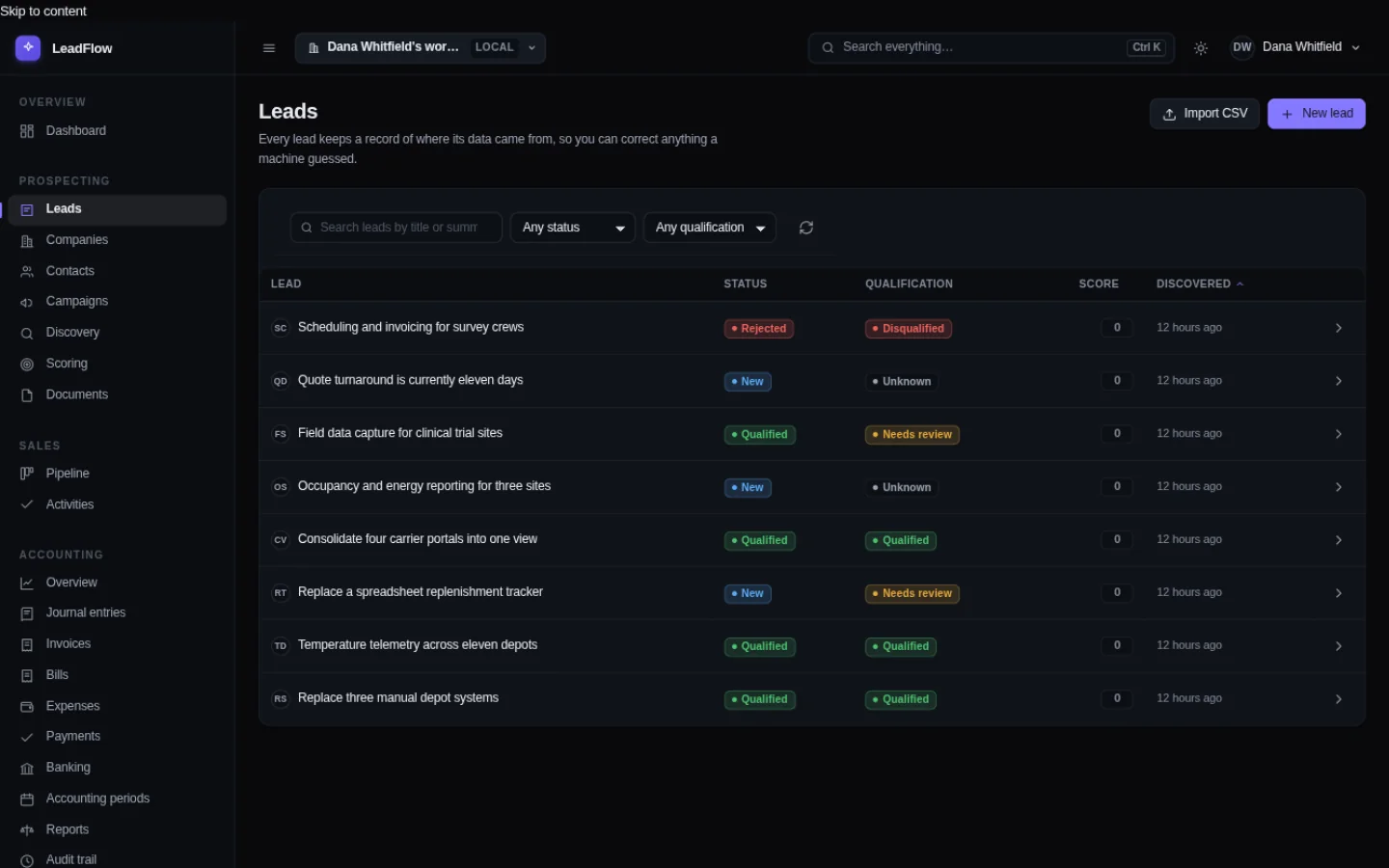
The lead list. Each row shows a company, the title of what they asked about, the stage they are at, an email address where there is one, and a score out of 100.
The lead list. Scored, sorted and searchable. The score is a rules engine you can read and change, not an opaque number from a service.
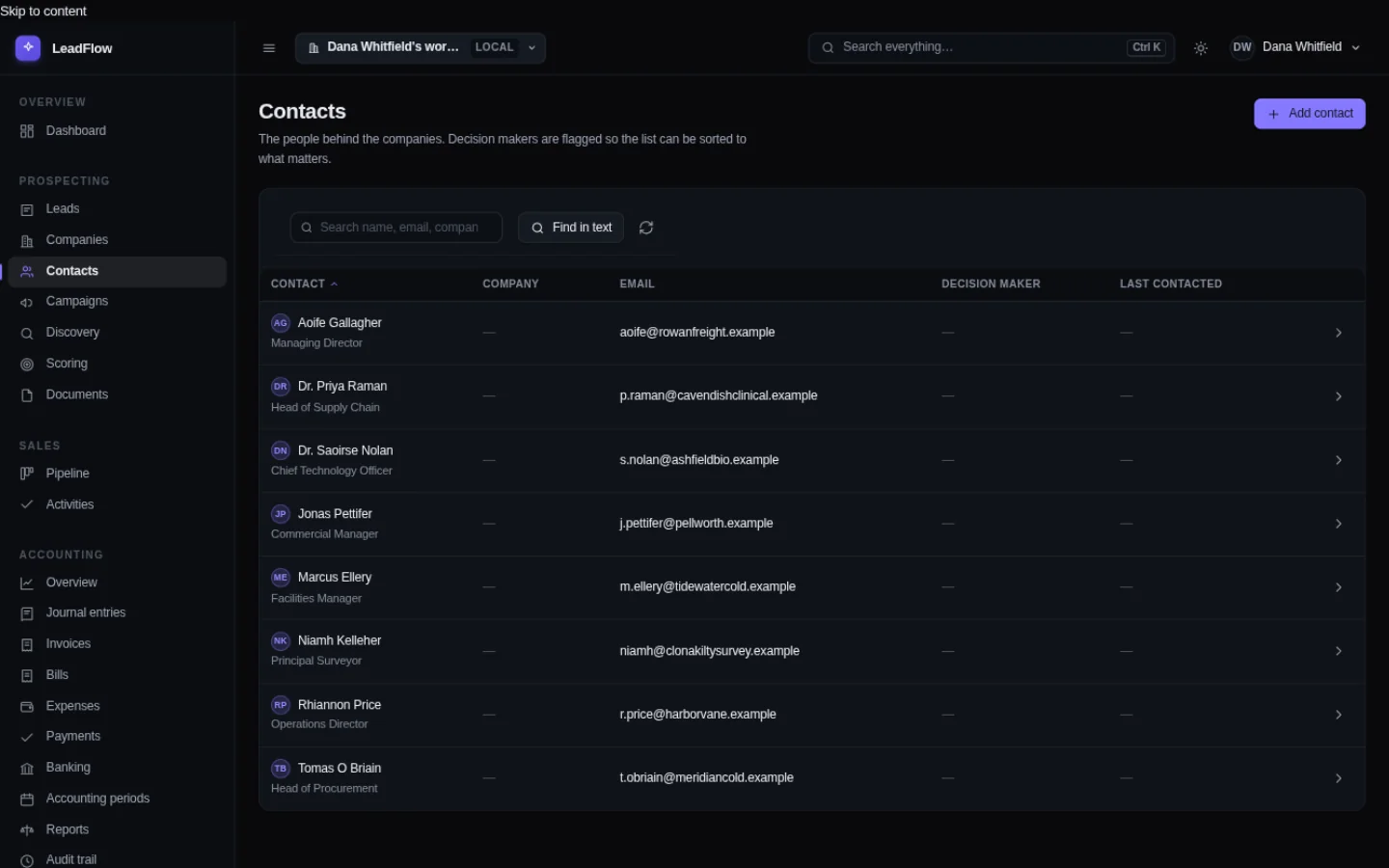
The contacts list, with each person's name, employer, email address, phone number and the deals linked to them.
The people. One record per person, with every conversation, task and deal attached — so the third time somebody rings you, you can see what happened last time.

A deal moves along. You can see how far it has got.

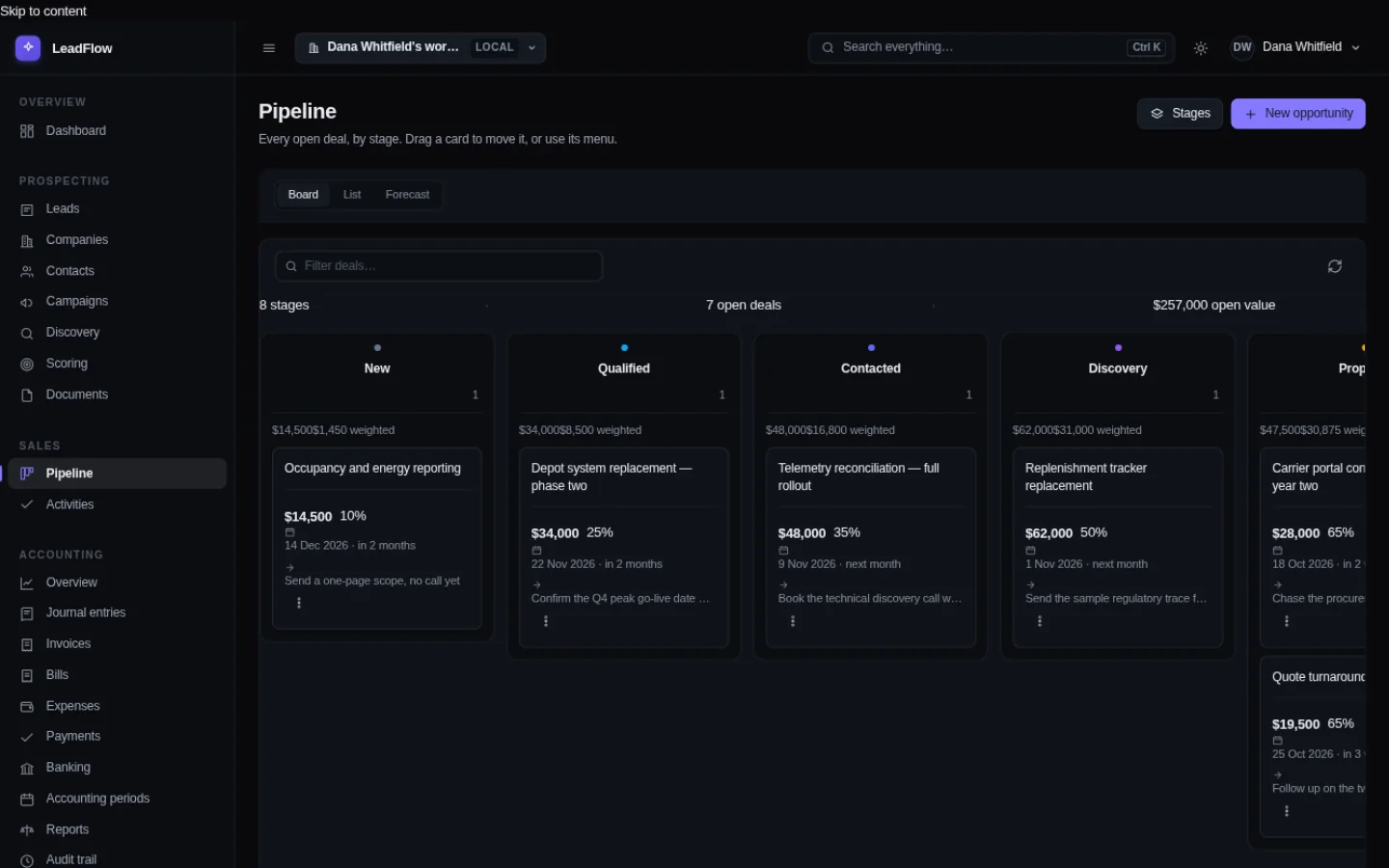
The pipeline is the set of stages you use, in the order you use them. Each card carries a value and a company, and dragging one along is the whole interaction. There is no separate "opportunities" concept to learn and no second place the same deal has to be entered.

The sales pipeline as a set of columns, one per stage, with each deal as a card showing the company, the value, the probability and a note of anything overdue.
The pipeline board. The value in each column is summed at the top. A deal that has gone quiet says so on its card rather than waiting to be noticed.

You raise an invoice. It becomes money you are owed.

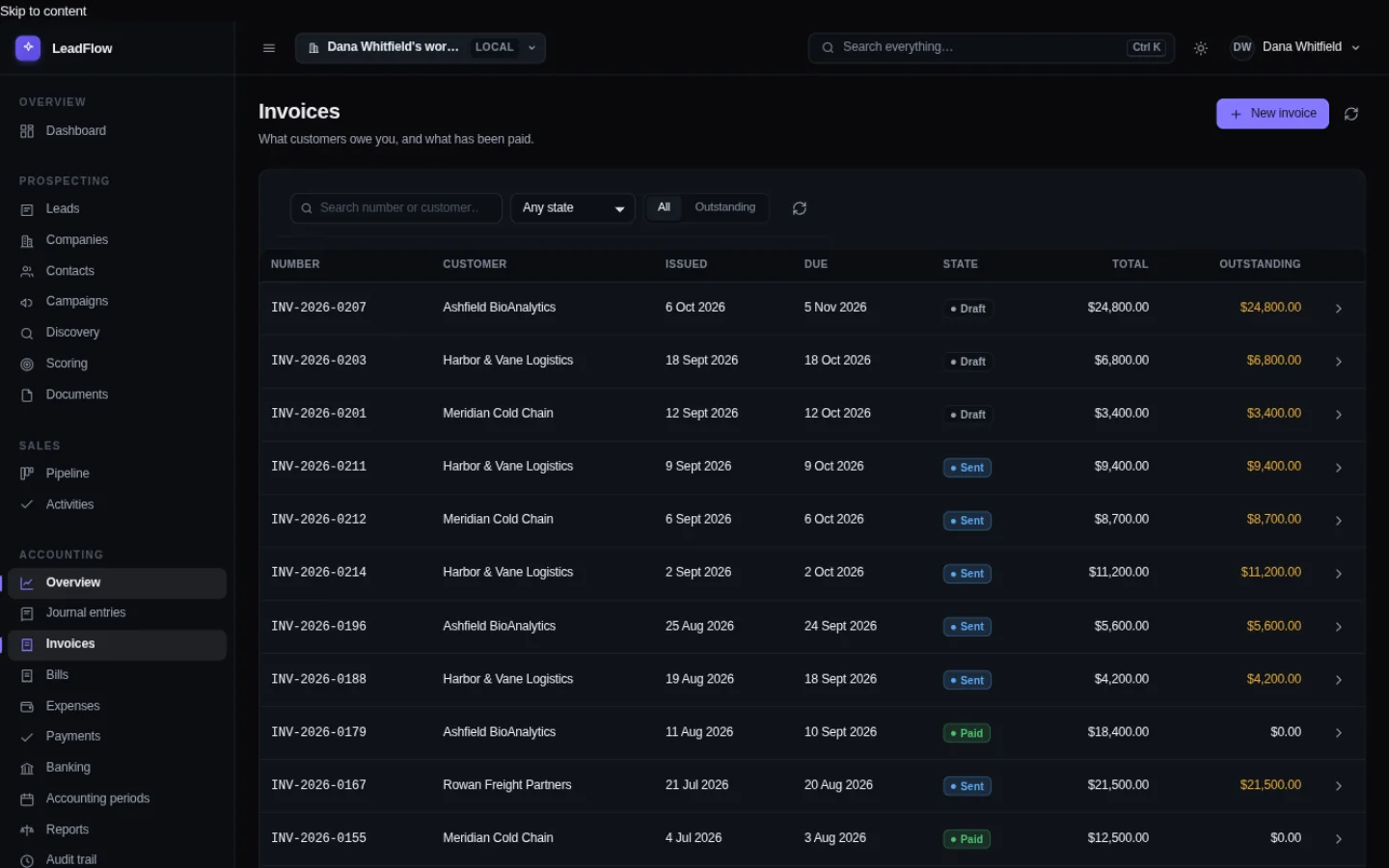
An invoice is not a PDF you attach to an email and forget. It is a record in a ledger, which is why FoundrySuite can tell you at any moment what you are owed, from whom, and how late it is — without you maintaining a spreadsheet alongside it to remember what the spreadsheet was for.

Each invoice posts through double-entry bookkeeping. Money owed is not revenue until it has been earned; it is recorded against a customer and a receivable account, and moves when the work happens.

The invoice list. Columns show the invoice number, the customer, the date issued, the date due, its state, the total and the amount still outstanding.
What customers owe you. Sorted so the overdue ones are at the top. Every invoice keeps its own total and its own outstanding balance, because a part payment is ordinary, not an edge case.

At the end of the year the books balance. Every time.

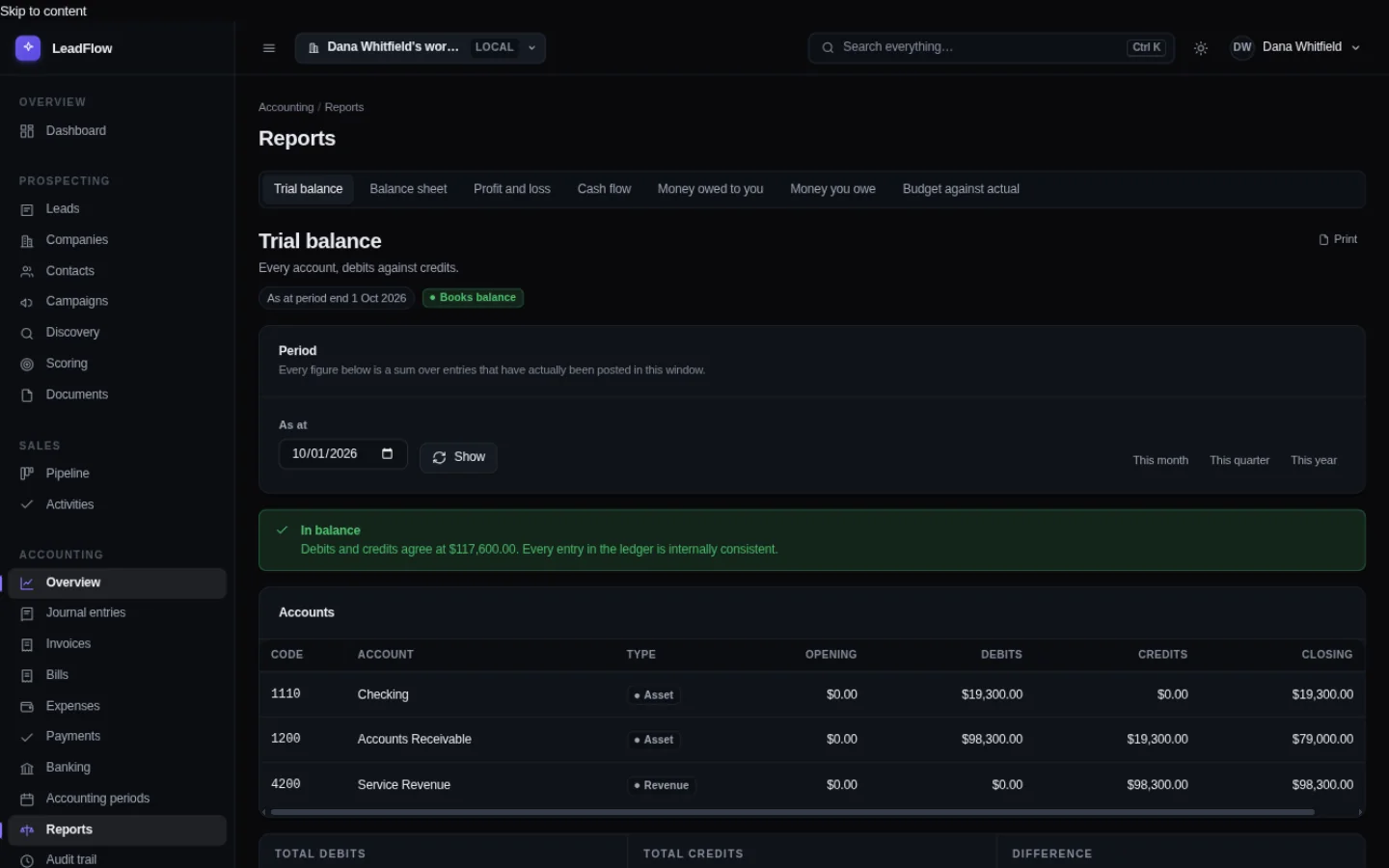
This is the screen an accountant asks to see. Every account, what it should hold, and what it actually holds. If the two columns ever disagreed, FoundrySuite would not let the entry that caused it be posted — so this report is a statement that something worked, not a hope that it did.

The trial balance. Every ledger account listed with its code, its name, its type, the balance on one side and the balance on the other, with the two totals shown at the foot.
The trial balance. Debits against credits, account by account. Money is held as whole units of the minor kind and converted for display — there is no binary floating-point arithmetic anywhere near a figure that has to add up.

Somebody asks who changed the figures. You can tell them.

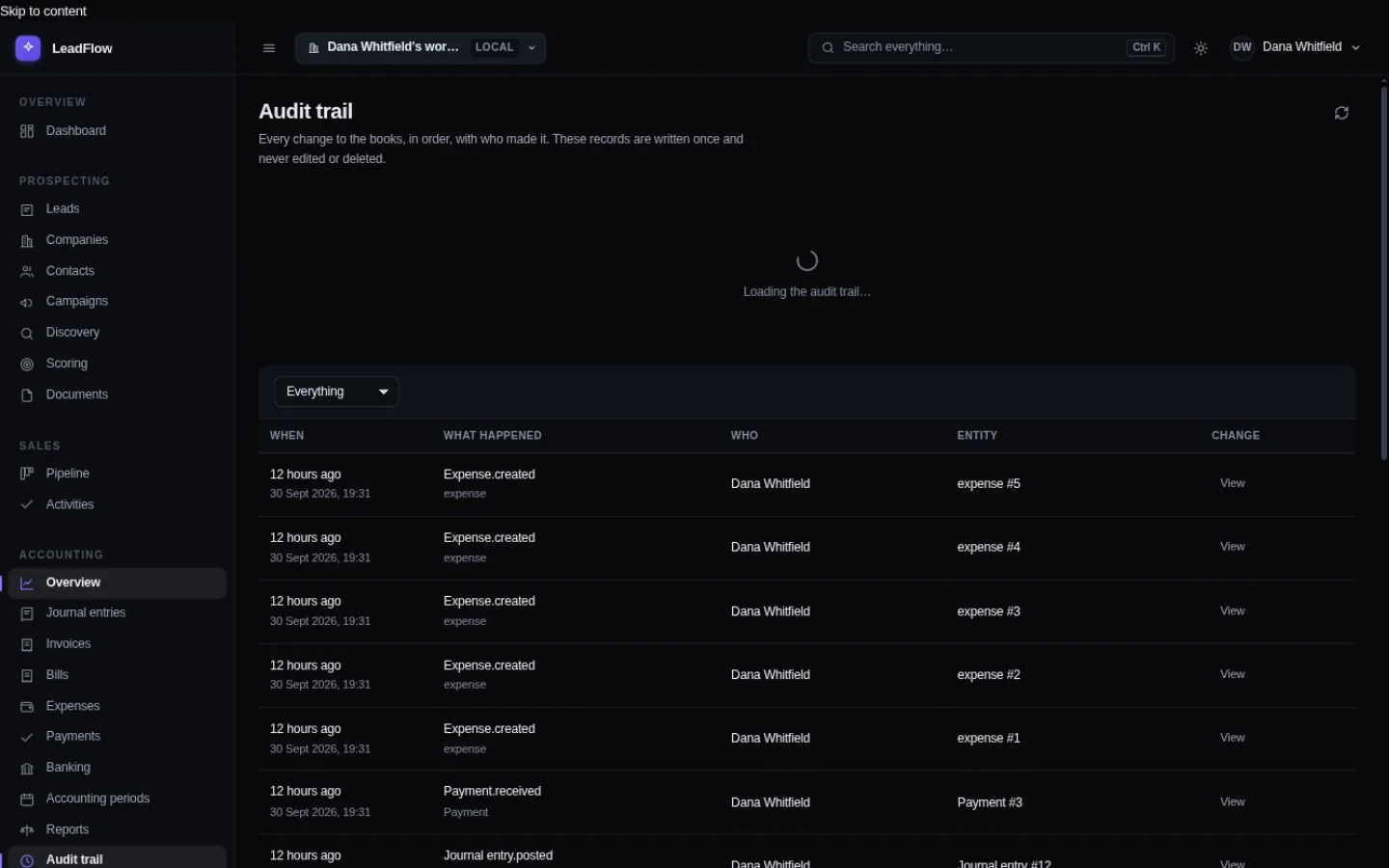
Every change to the books writes a row: who made it, when, what it looked like before and after. Nothing in FoundrySuite updates or deletes those rows — not an administrator, not a support request, not you. "Who closed the year and on what evidence" becomes a question with an answer instead of an argument.

The audit trail. Each row shows when the change happened, what happened, who made it, which record it affected, and a button to see the before-and-after.
The audit trail. A name, a timestamp and the actual difference — not "record modified". Click View and you see both states side by side.

And when you want out, you leave with everything.

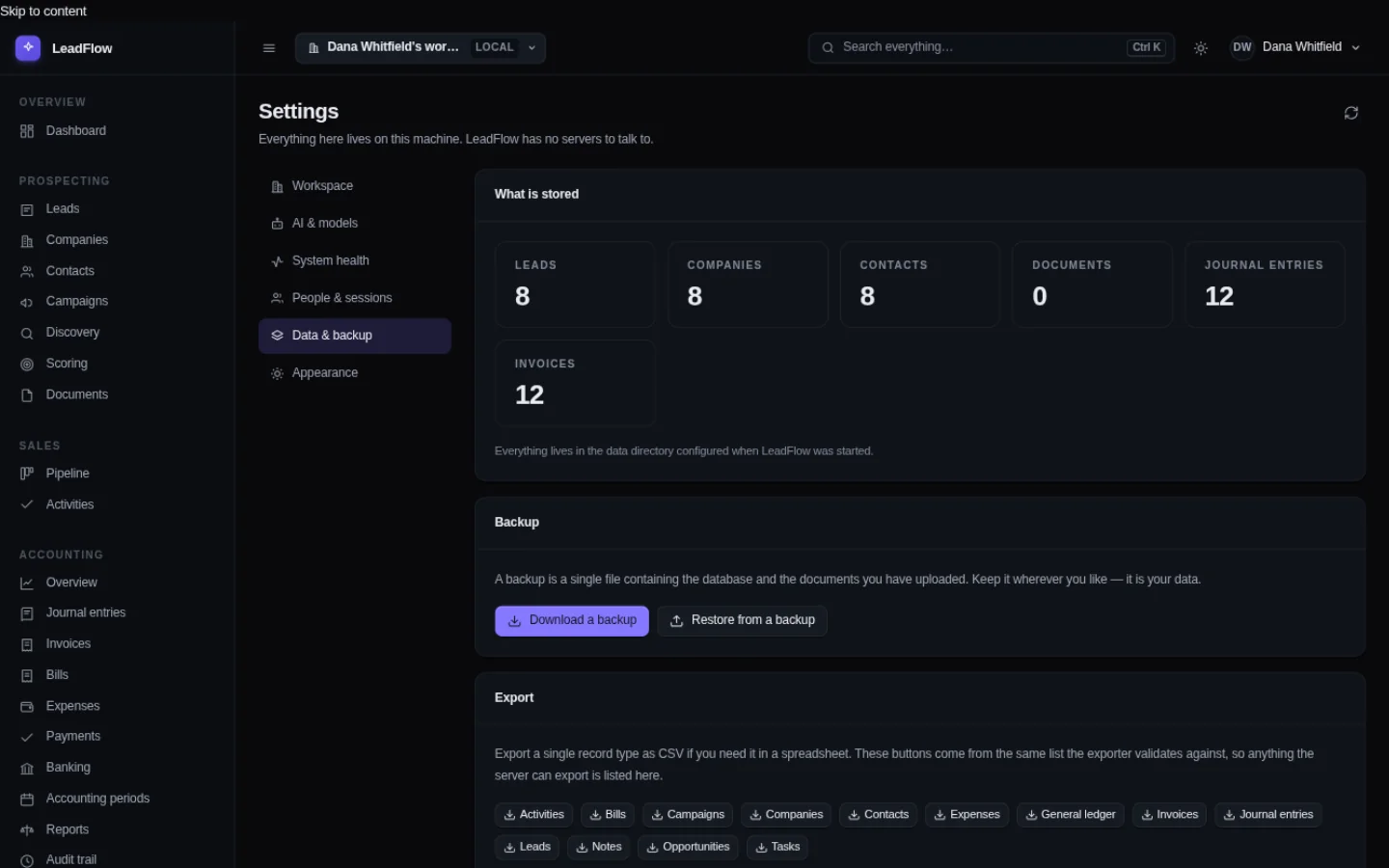
Your data directory holds the database and every document you have uploaded. Download a backup gives you the whole thing as one file whenever you want it, and every record type exports to CSV on its own — all thirteen of them, listed by the same list the exporter validates against, so there is no record type in there you cannot get out.

Nothing here needs an internet connection to keep working. Once the software — and any model you choose to run on this machine — are on it, the whole product functions with the network cable pulled out.

The Data and backup screen in settings. A tile row counts the leads, companies, contacts, documents, journal entries and invoices. Below are a backup download button, a restore button, and a row of export buttons, one per record type.
Data and backup. Counts of what is stored, a backup you can take at any time, and thirteen export buttons.
What the screens do not show

The parts worth being straight about.

A tour that only shows the good angles is marketing. These are the things you would otherwise discover in month three.

It will not send your email for you

FoundrySuite records who you contacted and what happened. It does not connect to a mail server and send on your behalf. If you want it to send email, use the mail program you already trust.

There is no sync between machines

Your records live in one data directory on one computer. Two people in the same office can share it over a network drive, but two independent copies of the same business do not merge. That is the trade for never phoning home.

The model needs a machine with room to spare

The assistant runs on your own processor, so it needs roughly 8 GB of free memory and takes a moment to load the first time. Without it, everything else keeps working — the features that need a model say so when you reach them.

Per workstation, not per person

You buy it once for a machine. Adding the next person at the same desk is a login, not another purchase. A second desk is a second licence, and we will check that it is a new machine rather than a copied folder.

The books are the strict part

Money is stored in whole minor units, entries must balance, and a closed period stays closed until somebody opens it with a written reason. That makes FoundrySuite less forgiving than a spreadsheet. It also means the figure at the end of the year is one you can sign.

Two people can post; you choose who

By default anybody in the workspace can post an entry, because in a two-person shop the person taking the payment is usually the person recording it. If you would rather an administrator approved every entry, that is one switch in Settings and it applies to drafts and postings alike.

Deciding

Try it against your own records.

The fastest way to know whether this is right for you is to put three months of real work in it. If it does not fit, you have lost an afternoon.

Download it

One installer for Windows, macOS or Linux. Nothing in it is reduced or switched off for the trial — the whole product, for thirty days. No card and no account.

Start the trial

Put your data in it

Import from CSV, or type the first few records by hand. Everything you enter stays in a folder you can see and back up.

Then decide

Per workstation, bought once, with nothing left to pay afterwards. The pricing page sets out the three ways to pay if you get that far.